C# Recursion and Trampolines
Understanding recursion, tail recursion, and the Trampoline pattern in C#.
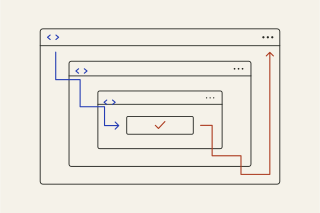
Understanding recursion is a rite of passage for every developer. It’s elegant, mathematically pure, and… dangerous.
If you’ve ever stared at a StackOverflowException in C#, you’ve met the dark side of recursion. But there is a concept called Tail Recursion that, in theory, fixes this. While functional languages like F# or Haskell handle this automatically, C# needs a bit of "cleverness" to make it work.
This guide will break down the concept of tail recursion, why C# struggles with it, and a clever design pattern called the "Trampoline" to make recursion safe.
Part 1: The "Stack" Problem
To understand tail recursion, you first need to visualize the Call Stack.
Imagine you are reading a book. You find a reference to another book, so you put a bookmark in the current page, open the new book, and start reading. If that book references another, you add another bookmark and open the third book.
In programming, every time a function calls itself, the computer adds a "bookmark" (called a Stack Frame) in memory to remember where it was (local variables, return address).
The Standard Recursive Crash
Let’s look at a classic recursive calculation: Factorial (5! = 5 * 4 * 3 * 2 * 1).
// BAD RECURSION
public int Factorial(int n)
{
    if (n == 1) return 1;

    // The multiplication happens AFTER the recursive call returns.
    // We must "remember" n to multiply it later.
    return n * Factorial(n - 1);
}
If you call Factorial(10000), the computer has to remember 10,000 numbers waiting to be multiplied. Eventually, it runs out of bookmark space. Boom: StackOverflowException.
Part 2: What is Tail Recursion?
Tail recursion is a specific way of writing recursion where the recursive call is the absolute last thing the function does.
If the call is the last action, you don't need to "remember" anything. You don't need a bookmark. You can just close the current book and move to the next one.
Converting to Tail Recursion
To make the Factorial function tail-recursive, we need to pass the "answer so far" (accumulator) into the next step, so we have nothing left to do after the call returns.
// TAIL RECURSIVE (Conceptually)
public int FactorialTail(int n, int accumulator = 1)
{
    if (n == 1) return accumulator;

    // The recursive call is the ONLY thing happening at the end.
    // We don't need to remember 'n' here, it's already used in the calculation.
    return FactorialTail(n - 1, n * accumulator);
}
In languages like F# or C++, the compiler sees this and says: "Aha! You don't need to come back here. I will just replace the current stack frame with the new one." This effectively turns your recursion into a while loop behind the scenes. Zero memory growth.
The Problem: The C# compiler (Roslyn) does not guarantee this optimization. Even if you write perfect tail-recursive code, C# will often still add stack frames, and you will still crash.
Part 3: The "Clever" Solution (The Trampoline)
Since C# won't optimize the stack for us, we can do it ourselves using a design pattern called a Trampoline.
A Trampoline is a loop that runs functions. Instead of function A calling function B directly (and growing the stack), function A returns an instruction to call function B. The Trampoline catches that instruction and runs B.
Imagine a manager (the Trampoline) and a worker (your recursive function):
- Manager: "Do the work."
- Worker: "I did a bit of work, but I need to do more with these new inputs. Here is the request."
- Manager: "Okay, I'll restart you with those inputs."
(The stack never grows because the worker returns to the manager every time.)
A Simple Implementation
We need a wrapper class to represent the "next step."
public static class Trampoline
{
    // Executes the recursive logic in a loop
    public static T Execute<T>(Func<Bounce<T>> func)
    {
        var result = func();
        while (true)
        {
            if (result.IsFinished) return result.Value;
            result = result.NextStep(); // "Bounce" to the next step
        }
    }
}

// Represents the state: either we are done, or we have more work
public class Bounce<T>
{
    public T Value { get; }
    public Func<Bounce<T>> NextStep { get; }
    public bool IsFinished { get; }

    private Bounce(T value, Func<Bounce<T>> nextStep, bool isFinished)
    {
        Value = value;
        NextStep = nextStep;
        IsFinished = isFinished;
    }

    // Helper: We are done!
    public static Bounce<T> End(T result) => new Bounce<T>(result, null, true);

    // Helper: Keep going!
    public static Bounce<T> Recurse(Func<Bounce<T>> next) => new Bounce<T>(default, next, false);
}
Using the Trampoline (Real World Example)
Let's use a real-world scenario. Imagine you are traversing a massive organizational hierarchy (a tree structure) to find a specific employee ID. A standard recursive search might crash if the organization is too deep.
Here is how we use the Trampoline to make it safe:
public class OrgSearch
{
    public static Bounce<string> FindEmployee(int currentId, int targetId)
    {
        // 1. Base Case: Found it
        if (currentId == targetId)
            return Bounce<string>.End($"Found employee {currentId}!");

        // 2. Base Case: Dead end (mock logic)
        if (currentId > 100000)
            return Bounce<string>.End("Not found.");

        // 3. Recursive Step: Return a function that says "Check the next ID"
        // Notice we utilize a lambda () => ... to delay execution
        return Bounce<string>.Recurse(() => FindEmployee(currentId + 1, targetId));
    }
}

// Usage
class Program
{
    static void Main()
    {
        // This would normally crash a stack, but here it runs safely in a loop
        // because the "recursion" happens inside the Trampoline's while loop.
        string result = Trampoline.Execute(() => OrgSearch.FindEmployee(0, 50000));
        Console.WriteLine(result);
    }
}
Summary
- Recursion puts "bookmarks" on the stack. Too many bookmarks = Crash.
- Tail Recursion is designing your function so no bookmark is needed (the recursive call is the last step).
- C# Limitations: C# generally doesn't auto-optimize tail recursion.
- The Fix: Use the Trampoline Pattern. Instead of calling yourself deeply, return a "function" that the main loop executes. This turns recursion into iteration, keeping your memory usage flat.
Pro Tip: If you are a beginner in C#, the easiest optimization is often to just rewrite the logic using a while or foreach loop. But understanding the Trampoline pattern opens your mind to how functional programming works and how to manage complex state changes without mutable variables.